Tag Archives: Android Oreo

Android Studio Tutorial For Beginners

android-studio-logo-840x359.pngAndroid Studio Introduction

Android Studio is the official IDE (integrated development environment) for developing Android Apps by Google. It is purpose built for Android to accelerate your development and help you build the highest-quality apps for every Android device. It is based on  JetBrains’ IntelliJ IDEA software and has lots of amazing features which helps developer in creating Android App.

Android Studio is available for free download on Windows, Mac OS X and Linux.

Prerequisites For Learning Android Studio:

There are two prerequisites for learning Android Studio tips:

System Requirements:

First your system OS must be either Windows, Max OS X or Linux with below requirement:

Windows

  • Microsoft® Windows® 7/8/10 (32- or 64-bit)
  • 3 GB RAM minimum, 8 GB RAM recommended; plus 1 GB for the Android Emulator
  • 2 GB of available disk space minimum,
    4 GB Recommended (500 MB for IDE + 1.5 GB for Android SDK and emulator system image)
  • 1280 x 800 minimum screen resolution

Mac

  • Mac® OS X® 10.10 (Yosemite) or higher, up to 10.13 (macOS High Sierra)
  • 3 GB RAM minimum, 8 GB RAM recommended; plus 1 GB for the Android Emulator
  • 2 GB of available disk space minimum,
    4 GB Recommended (500 MB for IDE + 1.5 GB for Android SDK and emulator system image)
  • 1280 x 800 minimum screen resolution

Linux

  • GNOME or KDE desktopTested on Ubuntu® 14.04 LTS, Trusty Tahr (64-bit distribution capable of running 32-bit applications)
  • 64-bit distribution capable of running 32-bit applications
  • GNU C Library (glibc) 2.19 or later
  • 3 GB RAM minimum, 8 GB RAM recommended; plus 1 GB for the Android Emulator
  • 2 GB of available disk space minimum,
    4 GB Recommended (500 MB for IDE + 1.5 GB for Android SDK and emulator system image)
  • 1280 x 800 minimum screen resolution


Android Studio:

The second thing you need is to download Android Studio on your system and install it. It is available for free download on Windows, Mac OS X and Linux OS.


Eclipse Vs Android Studio

Android App Development is mostly done in two IDE i.e. Eclipse and Android Studio. Earlier Eclipse was the popular IDE but now Android Studio has taken over it. This is because Google has ended the support for Eclipse and now only focused on Android Studio. Google also recommended developer to import their Android projects into Android studio and use Android Studio.

Android Studio Tutorials For Beginners:

Below are the tutorials links on Android Studio:

  • Create New Project – Learn how to start/create a new project in Android Studio
  • Open Project – Learn how to open projects in Android Studio.
  • Close, Save and Open Recent Project – Learn more about how to open saved projects and close current project in Android Studio.
  • Create New Activity – Learn to create New Activity in Android Studio .
  • Create New Java Class -Learn how to create New Java Class in Android Studio.
  • Create Virtual Device – Learn how to create a new AVD  in Emulator.
  • Run App in Emulator – Learn how to run and test Android App in Emulator.
  • Run/Test App in Real Device – Learn how to run app in real device.
  • Create Drawable Resource XML File – Learn how to create drawable resource XML file in Android Studio.
  • Add/Create Landscape Layout – Learn to design app in Landscape orientation in Android Studio.
  • Create Local HTML File – Learn how to create local HTML file in Android Studio.
  • Create Raw Folder – Learn how to create Raw Folder in Android Studio.
  • Add/Create Assets Folder – Learn how to create Assets folder in Android Studio.
  • Install Genymotion Emulator – Howt to install Genymotion Emulator in Android Studio.
  • Import/Add External JAR File – Learn how to import an External JAR file to Android Studio.
  • Change API SDK Level – Learn how to change the SDK level of API in Android Studio.
  • Create/Add New Package Inside Src Folder – Learn how creating new package inside Src Folder in Android Studio.
  • Creating Folders for Adding Different Resolution Images – Learn how add folder for adding images with different resolution in Android Studio.
  • Create An Interface – Learn how to create Interface in Android Studio.
  • Add Image to Drawable Folder in Android Studio – Learn Steps to add image to Drawable Folder in Android Studio.
  • Change Icon Of Your Android App – Learn how to change the android app icon in Android Studio.
  • Add Audio To Android App – How to  add audio to your Android application.
  • Application Launcher Icon Size – Learn about different application launcher icon sizes in android studio.
  • Basic Activity In Android Studio –Learn about how to create a basic activity in android studio.
  • Implement Abstract Method – Learn about how to implement abstract methods on clicks or using shortcuts in android studio.
  • Change Package Name In Android Studio – How to rename/change package name in Android Studio
  • Generate Signed Apk In Android Studio For Publishing & Updating Application.
  • How To Publish Android App On PlayStore – Learn how to publish your first Android App on Play store.
  • How To Create Anim Folder & Animation File In Android Studio –Steps to create an anim folder in Android Studio to store animation file under the resource folder of our application.
History of Android

android-oreo

The Android is a Linux Based Operating System by GOOGLE and Open Handset Alliance ,which provide a rich application Framework and help in developing interactive applications. The  first OS version was introduced in November 5, 2007 with many of its versions named in Alphabetical order ranging from A-O and Oreo the stable version released in August 2017.
DETAILED ABOUT ANDROID VERSIONS :


Alpha – In this( Android 1.0) was the first versions of Android operating System by Google. It has basic functionality with a simple browser and other Google apps like Gmail, Maps and YouTube.


Beta – Later on with Android 1.1 few more functionality added, the API changes from Level 1 in Android 1.0 to Level 2. It supports attachment with MMS.


Cupcake – Cupcake was Android second version with new features as well as the Android framework API updated. It was Android 1.5 with on Screen Keyboard , Animated screen transitions, Auto-rotation option, New stock boot animation, Ability to upload videos to Youtube, Ability to upload photos to Picasa, Bluetooth and Updated UI for applications.


Donut – It was Android 1.6 nicknamed as DONUT. It added support for CDMA , additional
screen sizes, Support forWVGA screen resolutions, Speed improvements in searching and camera applications, Expanded Gesture framework and new Gesture Builder development tool talk to speech engine and battery indicator.


Eclair – Android 2.0-2.1 as like other versions this also come up with a nickname as ECLAIR and lot more functions & features. It come up with Bluetooth 2.1 , live wallpaper, HTML 5 support, ability to search sms & mms, flash support, digital zoom and more camera features


Froyo – Android version 2.2-2.2.3 introduced with USB tethering & WiFi hotspot functionality and apps can now be installed on memory card. Support Adobe flash, Support for numeric and alphanumeric passwords, Support for file upload fields in the Browser application, increased speed and performance of applications with new features.


Gingerbread – Gingerbread (Android 2.3-2.3.7) introduced with updated User Interface which provide more ease to use. Features are like sensors, multiple cameras(Front & back), virtual keyboard, better text suggestion, voice input capability and press hold copy paste capability.


Honeycomb – This Android platform Honeycomb was designed for large screens like tablets so interface elements like virtual keyboard optimized for bigger screen. Home screen is optimized, Hardware acceleration, Support for multi core processors, Ability to encrypt all user data tabs are introduced in browser with additional incognito mode and video chat & Gtalk is supported.


Ice Cream Sandwich – Ice Cream sandwich come in 2011 bringing all new look. It gives more ease to user like user can quickly swipe to close the apps, Automatic syncing of browser with users’ Chrome bookmarks, Data Usage section in settings that lets users set warnings when they approach a certain usage limit, and disable data use when the limit is exceeded new gallery layout and built in photo editor.


Jelly Bean – Google made Operating System more responsive with Jelly Bean and introduces file sharing with Android Beam. Restricted profile, Dial Pad complete, supported other languages like Hindi, Lock/home screen rotation support for the Nexus 7, One-finger gestures to expand/collapse notifications, Bugfixes and performance enhancements changed camera UI.


KitKat – Kitkat come up in 2013 with API Level 19. It has wireless printing capability, new
dailer id, Built-in screen recording feature (primarily for developers, as usage of ADB is required), Native infrared blaster API, Verified boot, Enforcing SELinux, Expanded accessibility APIs and system-level closed captioning settings, chrome webview and screen recording.


Lollipop – Android version 5.0-5.1.1 come up with improved RAM and battery management. Further restyling through Material design, no interrupts feature, unlock phone through Bluetooth trusted devices, print previews and smart lock feature.


Marshmallow – Marshmallow was released in year 2015, come up with smarter battery and doze mode (it prevents certain task from running if the phone being setting idle), Now On Tap, better privacy settings, easier to upgrade phone, Larger Application folders with multiple pages, Post-install/run-time permission requests Fingerprint sensor and built in visual voice mail.


Nougat( Version 7.0 ) – Android Nougat was made official in 2016 with updated emoji, 72 newly added, multi window view (switch between apps with double tap), smarter battery with data saver mode, Improvements to file browser, More Quick Settings options more secured and high quality virtual reality with new dimensions.


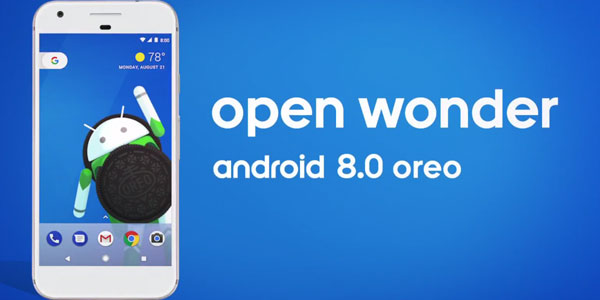
Oreo —Android Oreo is made official in August 21, 2017 with the biggest change to the foundations of Android to date: a modular architecture that makes it easier and faster for hardware makers to deliver Android updates. Also added Multi-display support, 2 times faster boot time, Apps background execution and location limits, Google Play Protect, Downloadable fonts, Integrated printing support, Deep color (Wider color gamut for apps), Wi-Fi Assistant


ANDROID PLATFORM VERSIONS:


Version                       Codename                     API                    Distribution


2.2                                 Froyo                              8                          0.1%
2.3.3 – 2.3.7                 Gingerbread                 10                         1.2%
4.0.3 – 4.0.4                 Ice Cream Sandwich   15                         1.2%
4.1.X                             Jelly Bean                      16                          4.5%
4.2.X                             Jelly Bean                      17                          6.4%
4.3                                 Jelly Bean                      18                          1.9%
4.4                                 Kitkat                             19                           24.0%
5.0                                 Lollipop                          21                          10.8%
5.1                                 Lollipop                          22                           23.2%
6.0                                Marshmallow                23                           26.3%
7.0                                Nougat                             24 -25                     0.4%

8.0                                Oreo                                 26