Raw folder in Android is used to keep mp3 or ogg audio files and also video files. The raw folder is created inside \app\src\main\res\raw. So we will simply create it inside res folder. Here is the simple way to create raw folder in android studio:
How To Create/Add Raw Folder In Android Studio
Step 1: Open App folder and select res folder
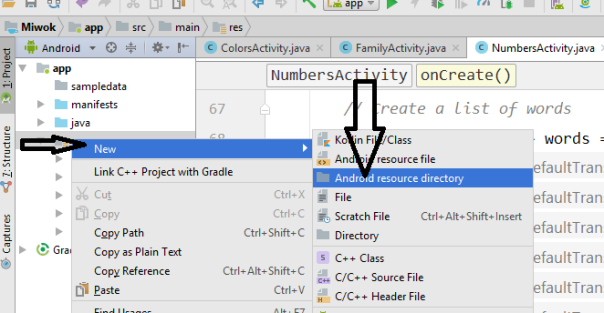
Step 2: Right click on res folder, select New> Android resource directory, then studio will open a dialog box and it will ask you to enter the name.
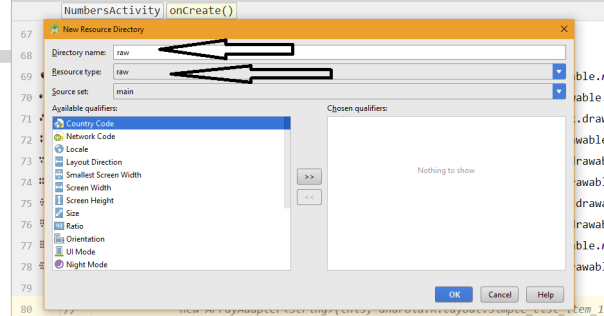
Step 3: Write “raw” and select “Resource type” then click OK. Open res folder and you will find your raw folder under it.
Next Step: How To Add & Play Audio File In Raw Folder
 hellotech